Table of contents
If your lender is Newfi Lending, you’ll receive your initial disclosures electronically through their secure online portal. This allows you to review, sign, and deliver documents instantly — no printing or mailing required.
By signing electronically, you can:
- Keep your loan process on track and avoid delays
- Review disclosures securely from any device
- Complete your signing in minutes with step-by-step guidance
Here’s exactly how to complete the process, step by step.
Step-by-Step: How to e-Sign Disclosures with Newfi Lending
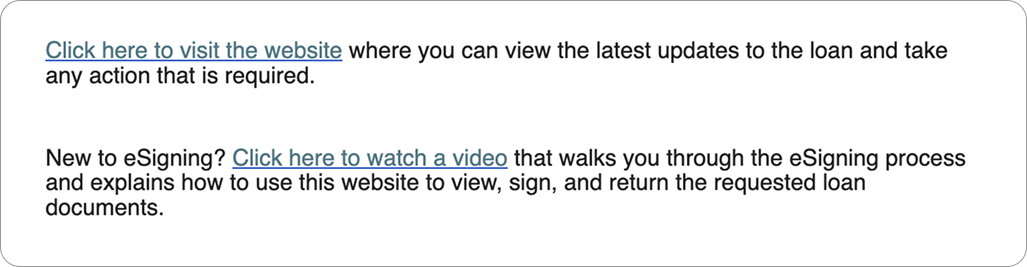
1. Check your email
Each borrower listed on the loan application will receive a separate email inviting them to sign the initial disclosure package.
? Signing is only complete once all borrowers have finished.
2. Open the secure link
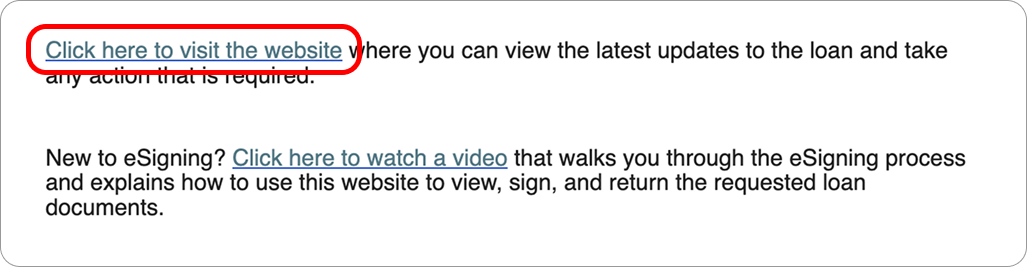
Click the link embedded in the email to open the document portal.
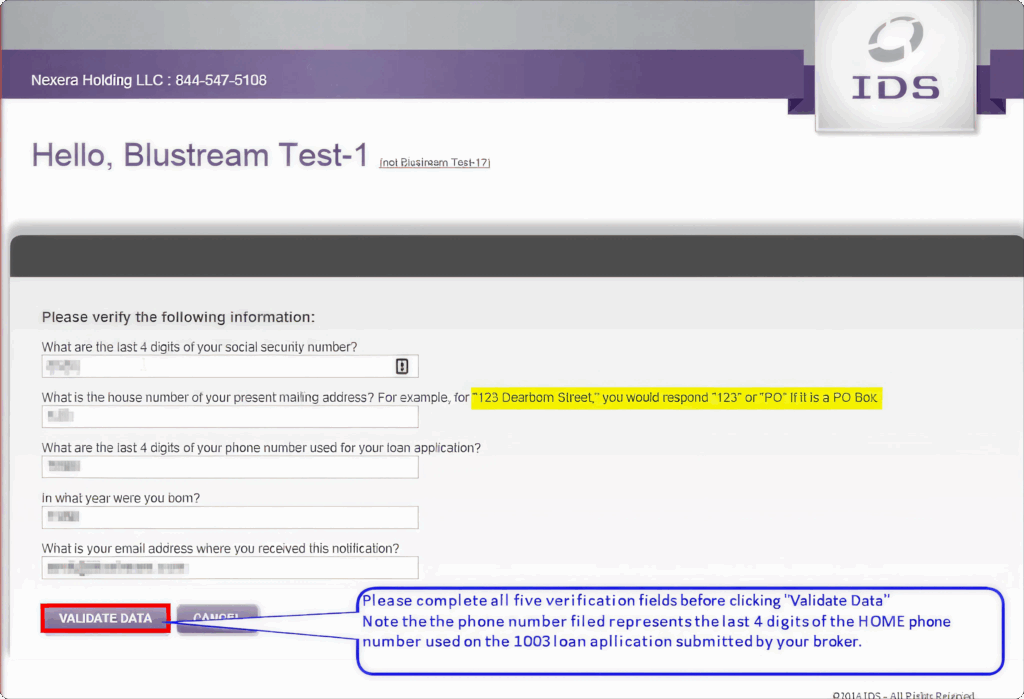
3. Verify your identity
For security, you’ll be asked to enter validating information that was provided in your loan application.
4. Review and agree to electronic consent
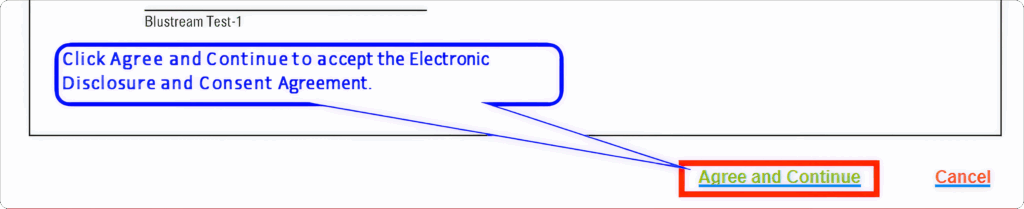
Before signing, you must acknowledge the Electronic Disclosure and Consent Agreement. Click Agree and Continue to proceed to your disclosure packet.
5. Follow on-screen signing instructions
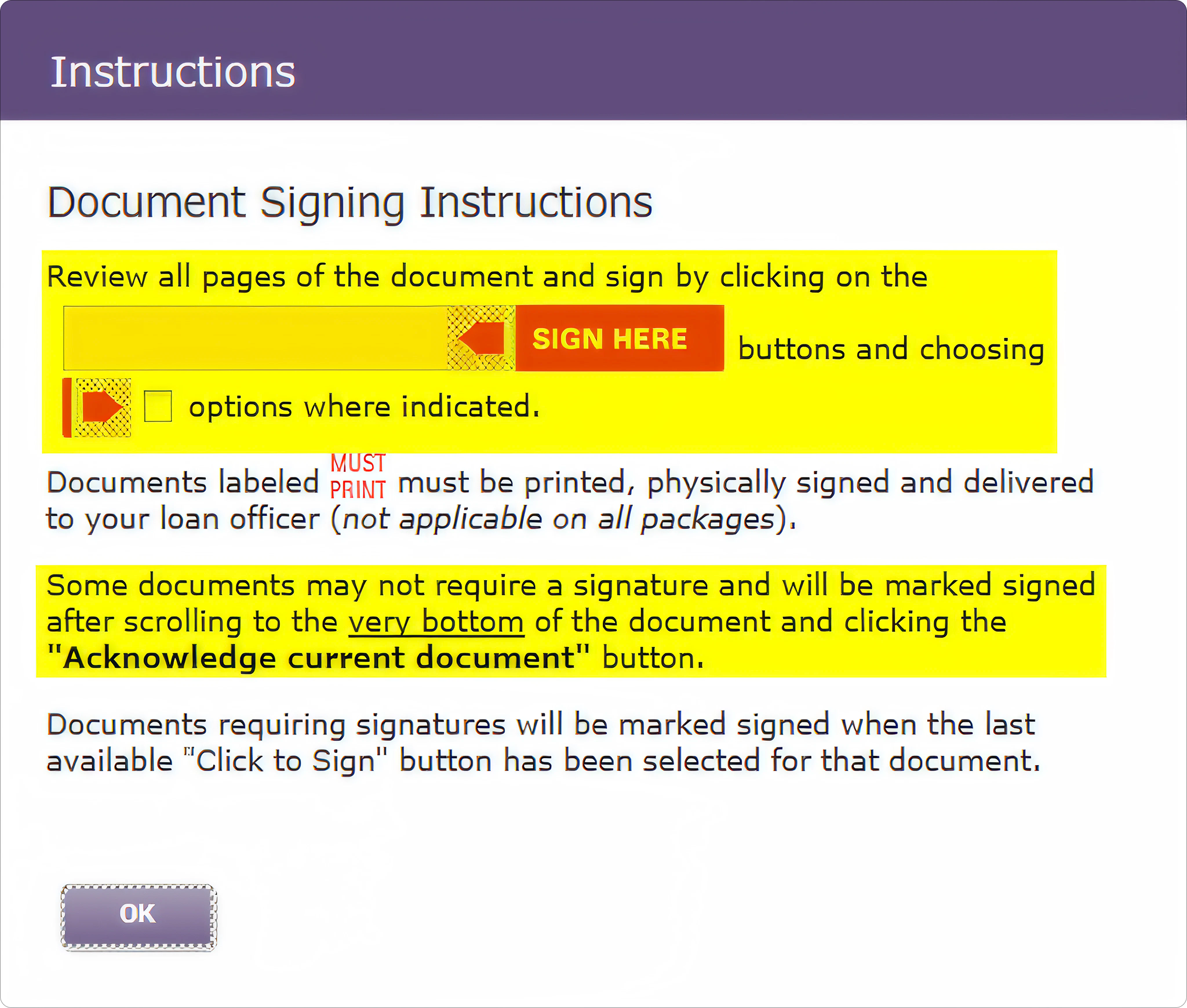
After agreeing, signing instructions will appear. Review them, then click OK to begin signing.
6. Start signing your first document
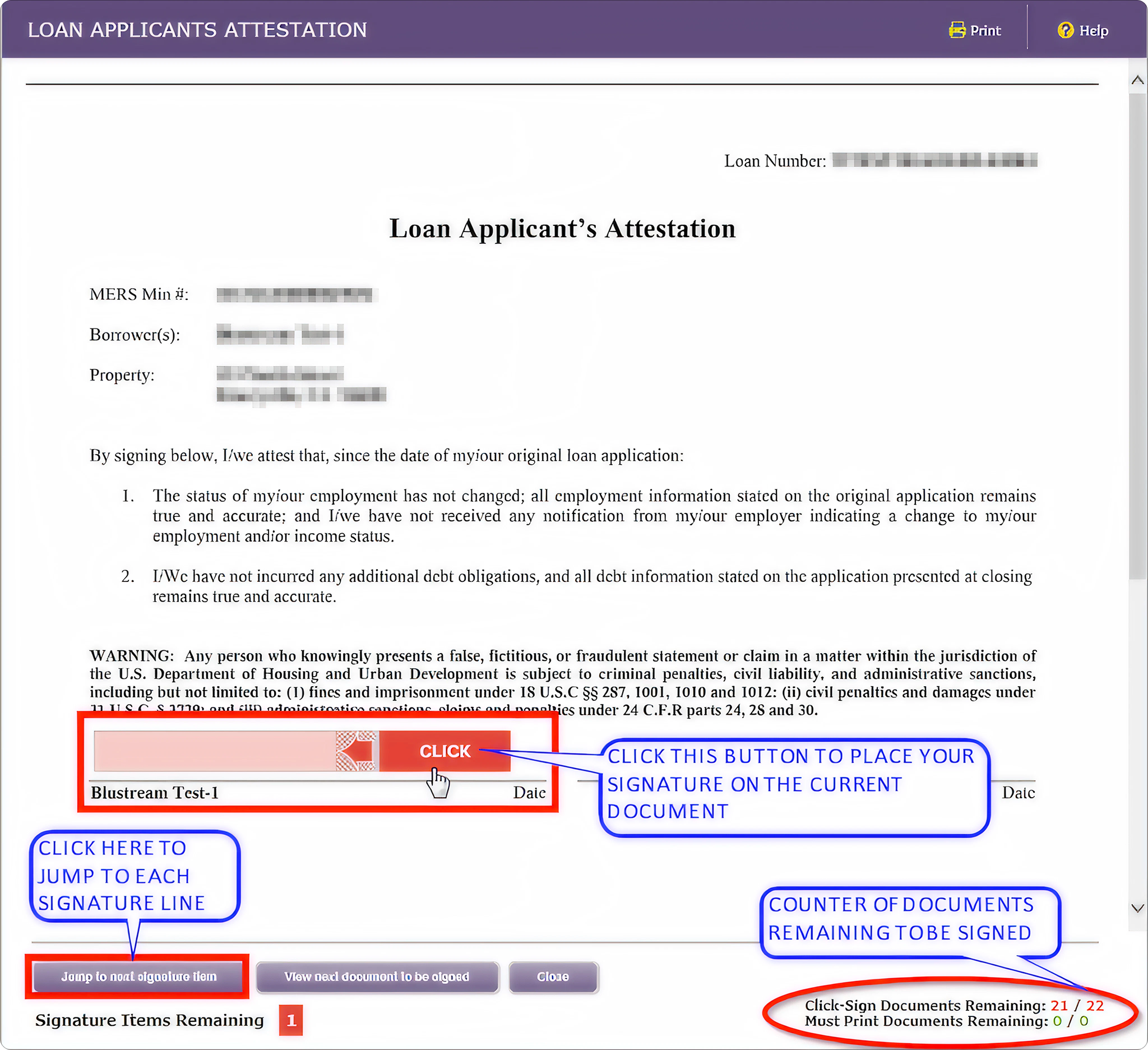
The first disclosure will open automatically. Complete the signing to move to the next document. Use the counter at the bottom right to track how many documents remain.
7. Continue through each document
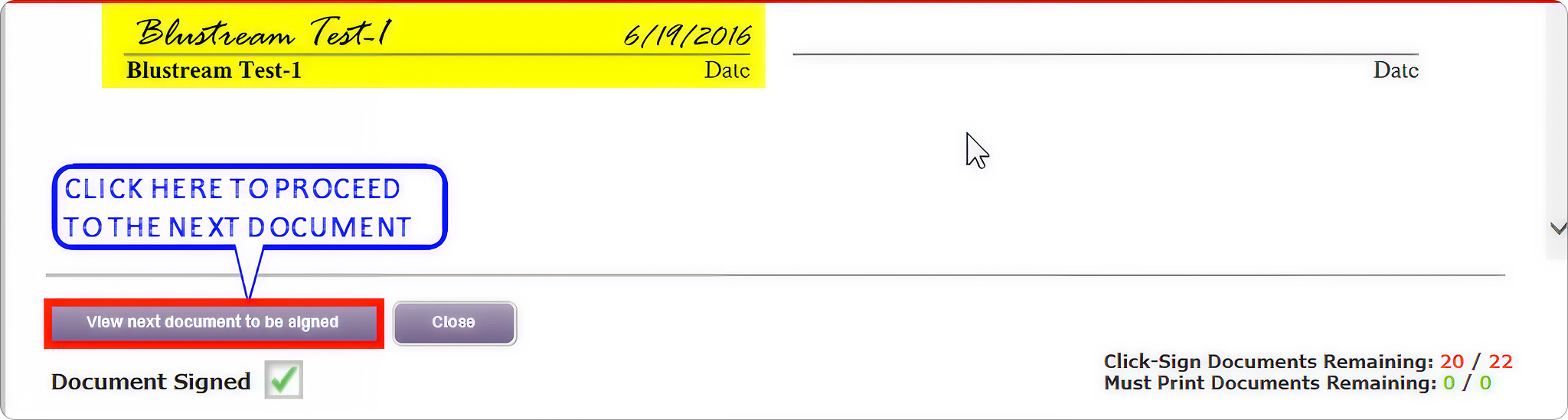
After signing one document, click the button below it to proceed to the next.
8. Scroll to review required pages
Some documents require you to scroll to the bottom before you can continue. Use the scroll bar on the right to confirm review.
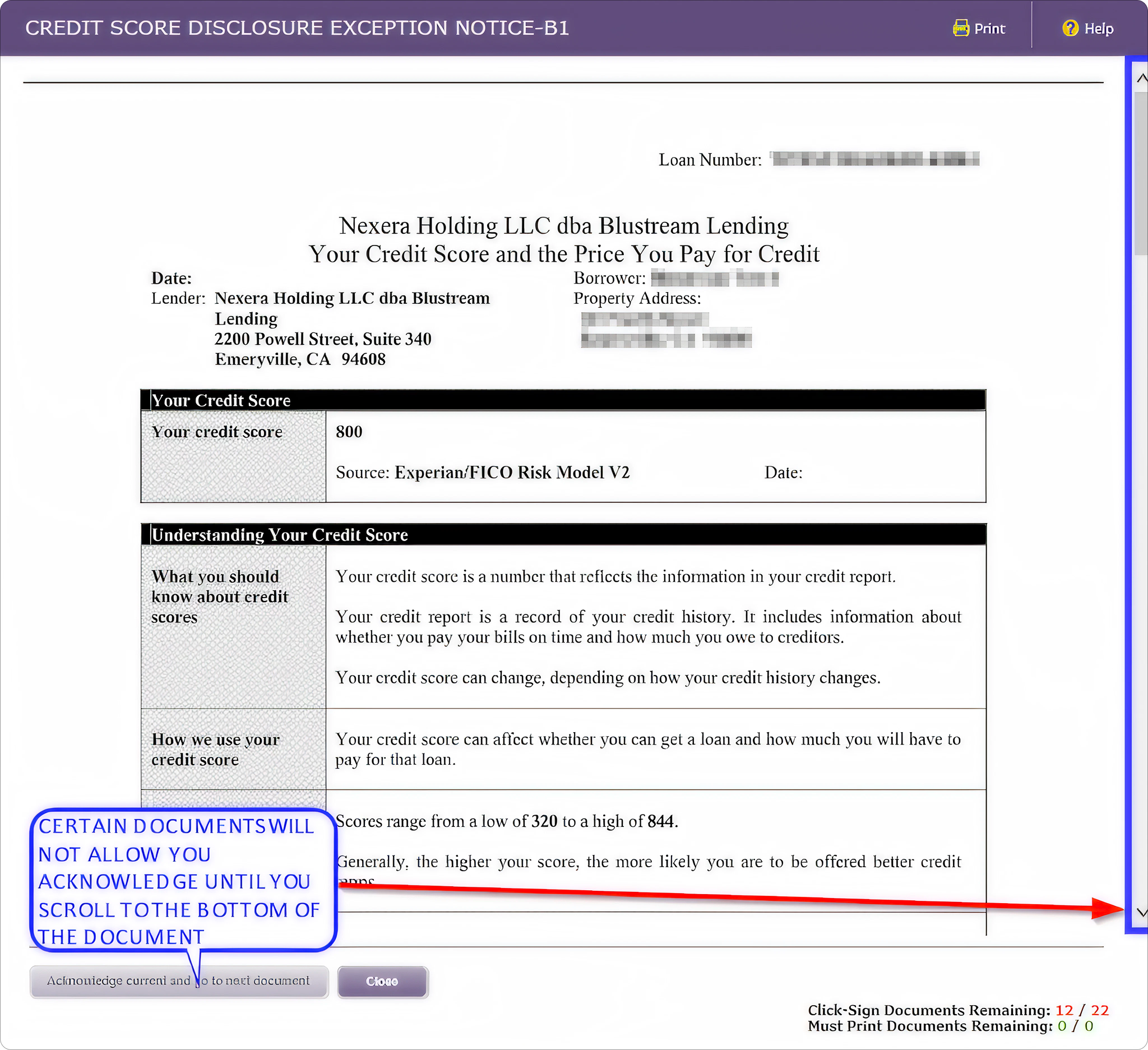
9. Complete all remaining signatures
Continue signing until you’ve completed all required fields. The counter will update as you go.
10. Finish and save your signed documents
When all documents are signed, you’ll see a completion message.
- Click Close to exit the signing window.
- You can print or save your signed disclosures for your records.
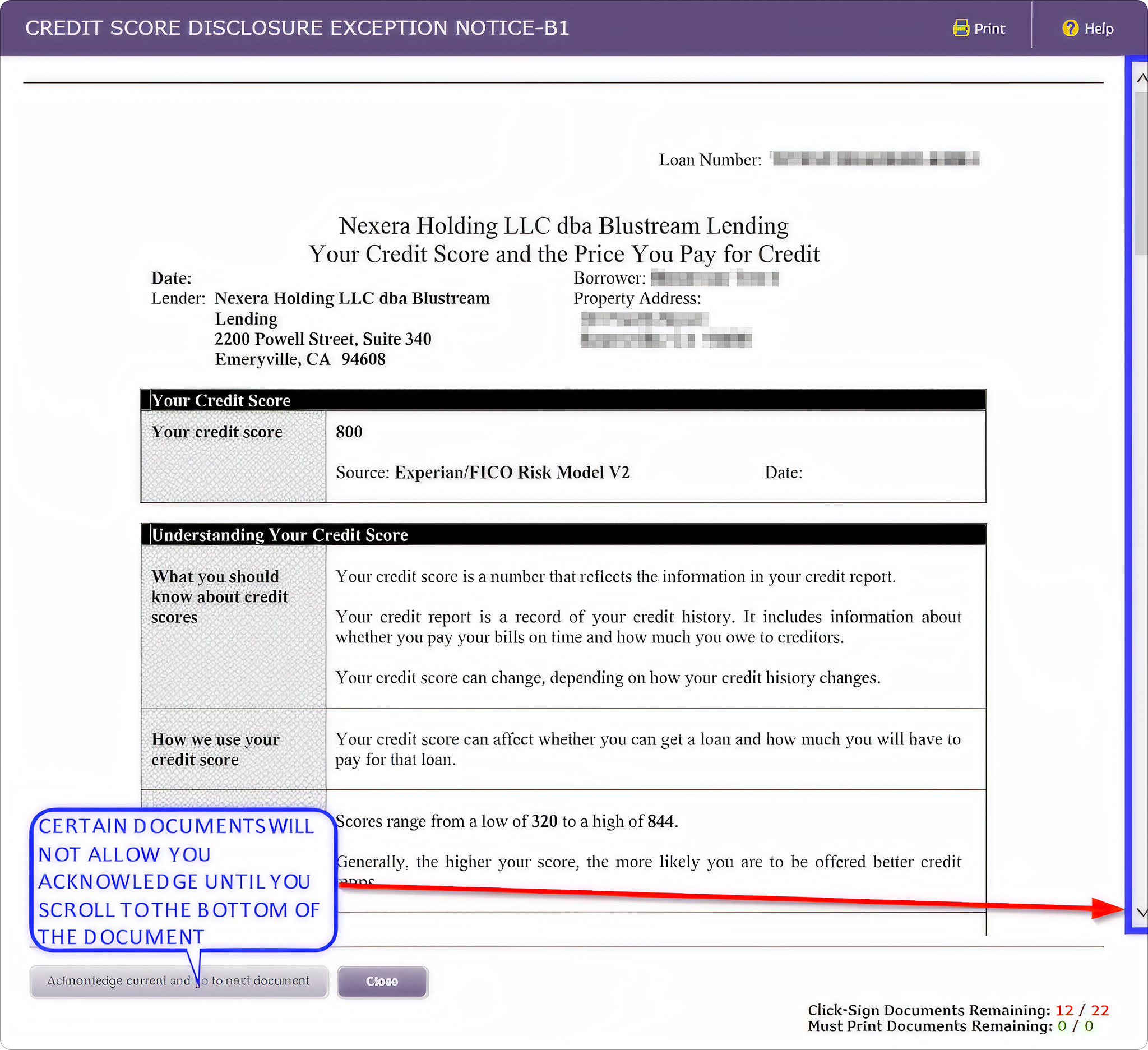
11. Confirm completion
Verify that the counter shows 0 documents remaining.
If not, you’ll have an opportunity to finish any incomplete signatures.
12. Check for green checkmarks
Each signed document will display a green checkmark.
If any are missing, click the document name to open and complete signing.
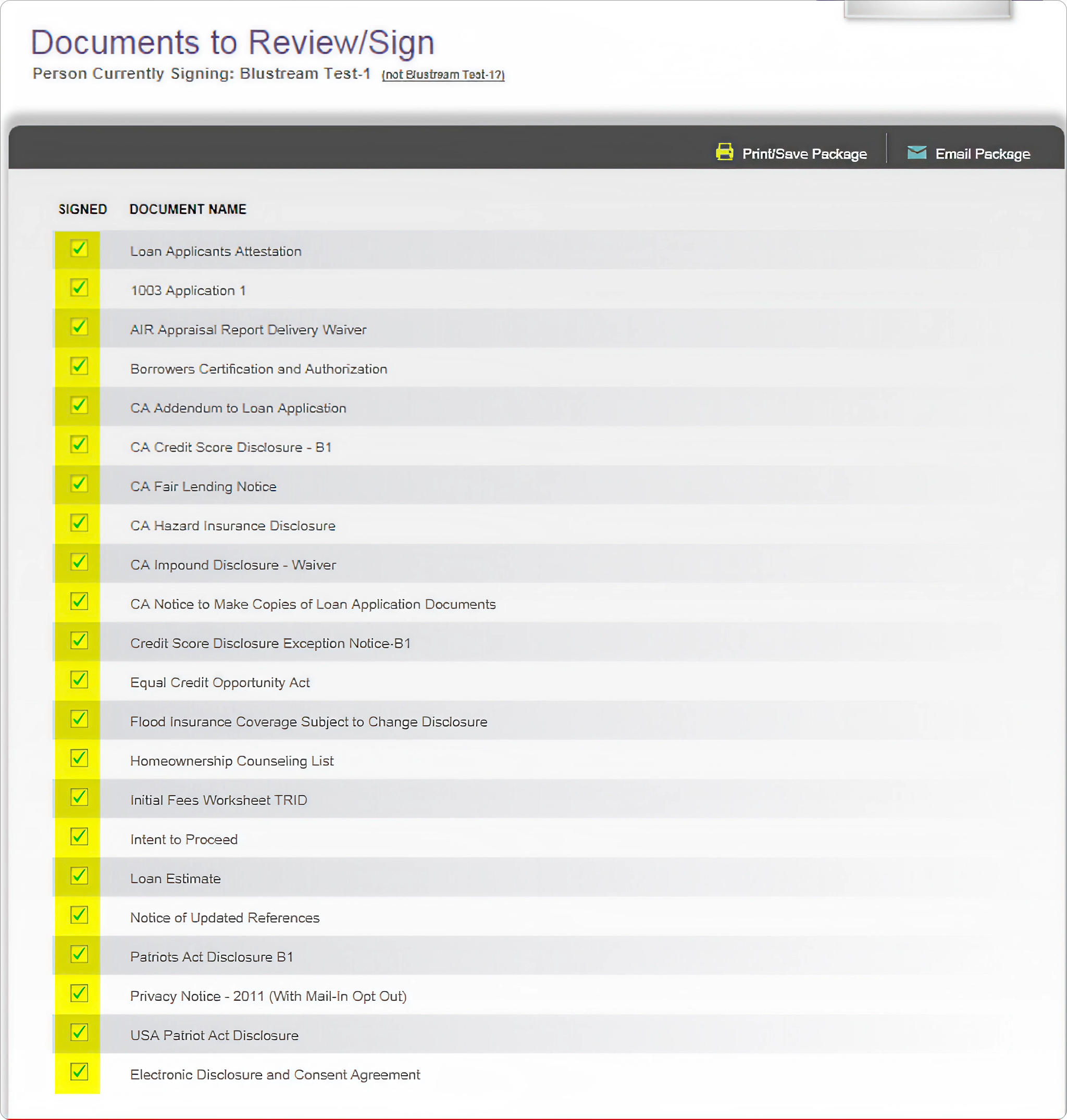
13. Log out of the portal
Once all documents show green checkmarks, you can safely log out.
✅ This completes the electronic signing of your initial disclosures.

Tips for a Smooth Signing
- Each borrower must use their own unique email address.
- Keep your loan application details nearby for quick identity verification.
- Some disclosures require scrolling before you can proceed — watch for prompts.
- Save or print a copy of your completed disclosures for your records.
Final Thoughts
E-signing your Newfi Lending disclosures is fast, simple, and secure. Once completed, your signed documents are automatically delivered to your loan officer for review, keeping your mortgage process moving forward.
If you encounter any issues, your UnrealFi loan advisor is here to help.