Table of contents
If your lender is Dart Bank, you’ll receive your disclosure package through their secure online signing system. This allows you to review, consent, and electronically sign important documents without printing or mailing.
By signing electronically, you can:
- Keep your mortgage process moving quickly
- Access and sign documents securely from any device
- Avoid delays caused by mailing physical paperwork
Here’s exactly how to complete the process, step by step.
Step-by-Step: How to e-Sign Disclosures with The Dart Bank
1. Check your email
Each borrower will receive an email containing a link to the disclosure package. M
? Each borrower will receive a separate email. To avoid issues, each borrower should use a unique email address.
2. Review the sender
The invite may appear to come from your Loan Officer or Loan Processor, but it may also originate from noreply-MortgageTech@ice.com

Example from @Ice.com email address:

3. Open the invite
The email will include the Loan Officer and Broker name, a link to access your disclosures, and a tutorial link for the eSign process.
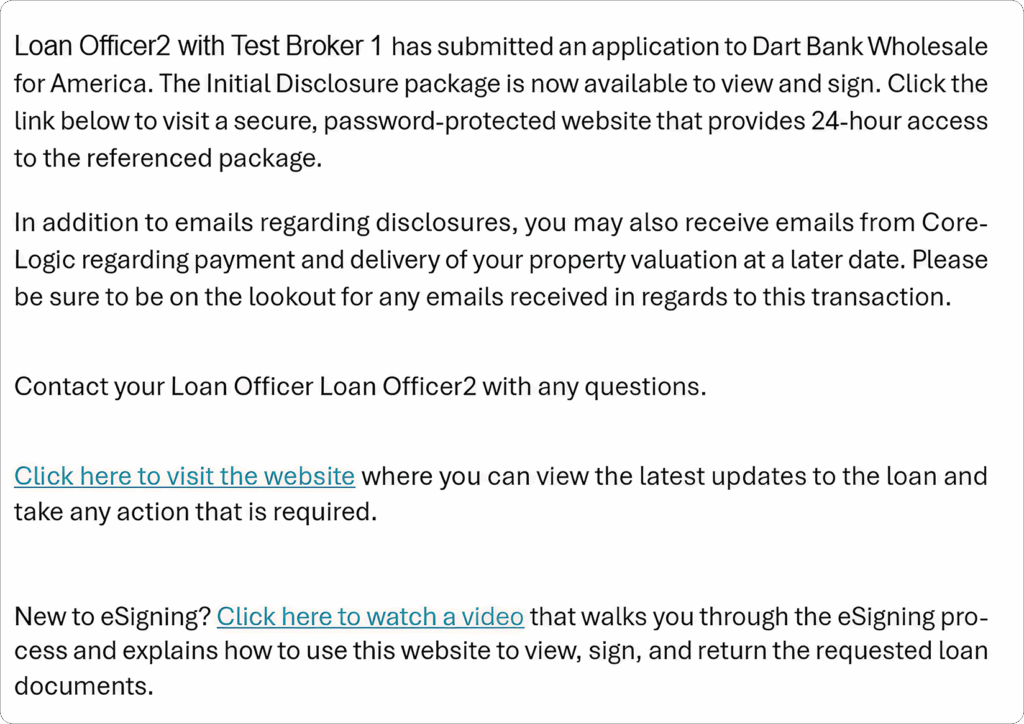
4. Open the account link
Click the link in the email to open the Borrower Portal login page.
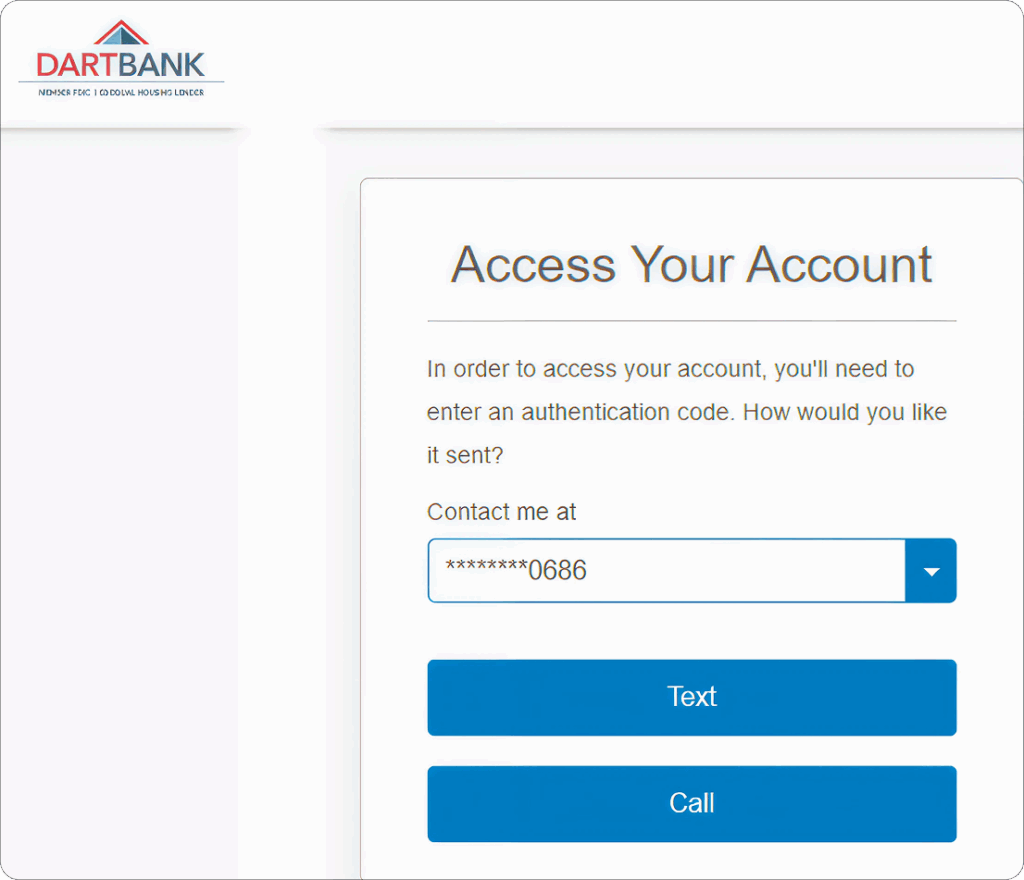
5. Authenticate your identity
Choose Text or Call to receive a One Time Passcode. If the phone number is incorrect, contact the Dart Bank Disclosure Team at wldisclosures@dartbank.com to update it. Enter the code to continue.
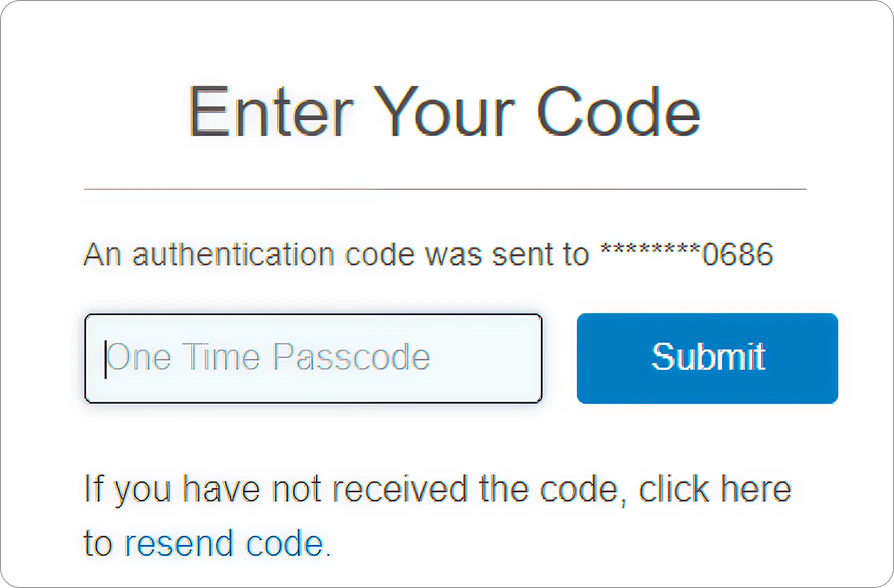
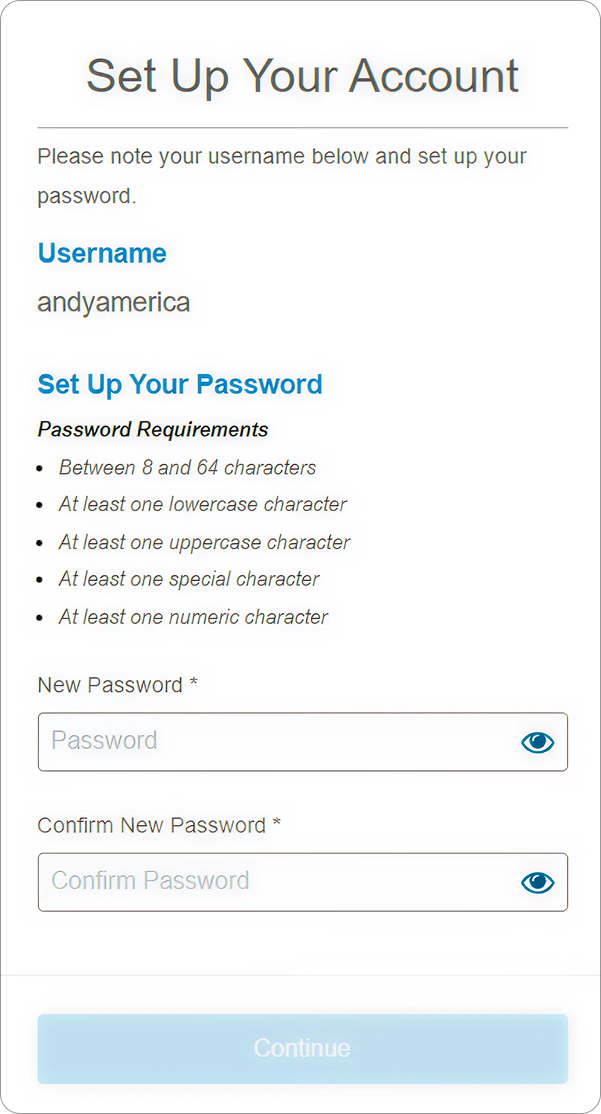
6. Create your password
Set up a password for your account and record it — you’ll need it for future disclosure deliveries.
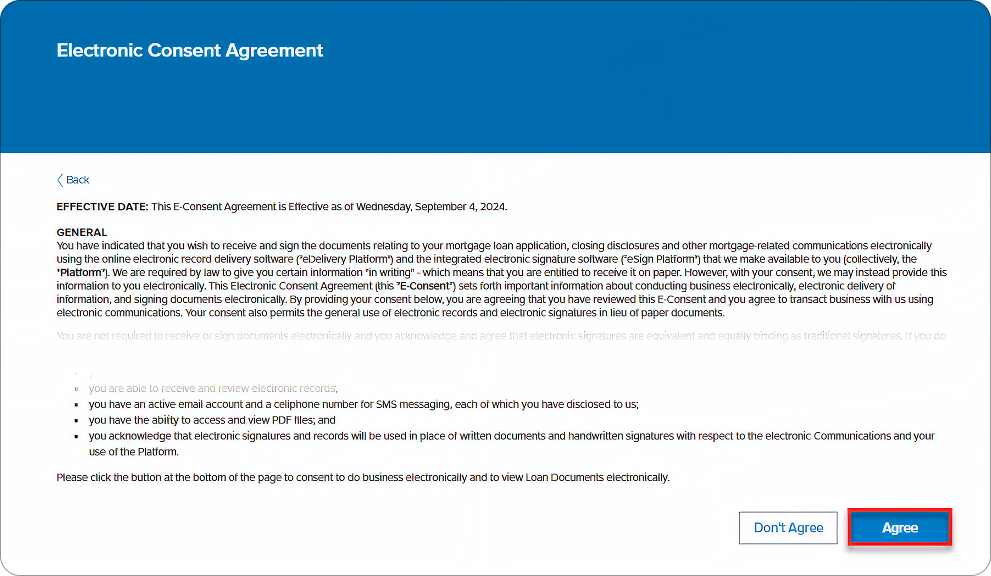
7. Agree to Electronic Delivery
On your first login, you’ll be asked to consent to electronic delivery of disclosures. Click Agree to continue with e-signing. If you select Don’t Agree, your disclosures will be mailed instead.
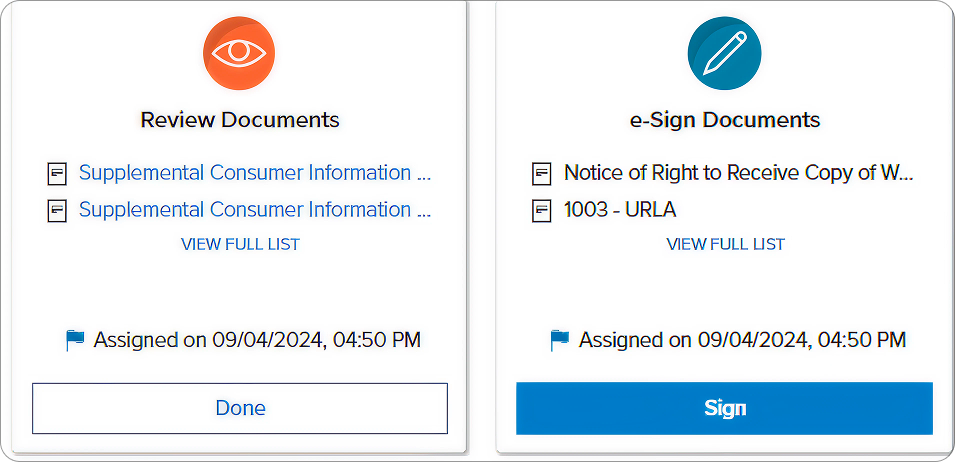
8. Review your documents
You’ll see two task cards:
- e-Sign Documents: These require your signature. Click Sign to begin.
- Review Documents: These require review only. Click the top document to open the full package, then click Done when finished.
9. Sign your disclosures
Follow the prompts to sign each required field. Once you’ve completed all documents, click Finish.
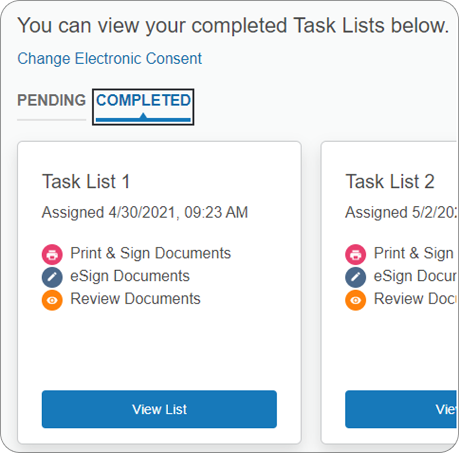
Accessing the Dart Bank Borrower Portal Later
- Completed: view signed documents
- Pending: view outstanding tasks
- Forgot password? Use Forgot your username or password (Dark Bank cannot reset it for you).
Tips for a Smooth Signing
- Keep your phone nearby to receive your verification code.
- Save your password for future disclosure deliveries.
- If your invite email comes from noreply-MortgageTech@ice.com, it’s valid.
- If your phone number is incorrect, email wldisclosures@dartbank.com before continuing.
- New to DocuSign? Reviewing the How to Sign Documents with DocuSign guide first will make the process even faster.
Final Thoughts
E-signing disclosures with Dart Bank is quick, secure, and convenient. Once complete, your signed documents are automatically sent to your loan officer, keeping your mortgage process moving forward.
If you have any issues, your UnrealFi loan advisor or the Dart Bank Disclosure Team (wldisclosures@dartbank.com) is ready to help.