Table of contents
Signing your initial disclosures is one of the first steps in moving your loan forward. This process is completed securely online and typically takes only a few minutes.
This guide walks you through each step so you can complete your 11 Mortgage disclosures quickly and keep your loan moving forward.
Step-by-Step: How to Sign Disclosures with 11 Mortgage
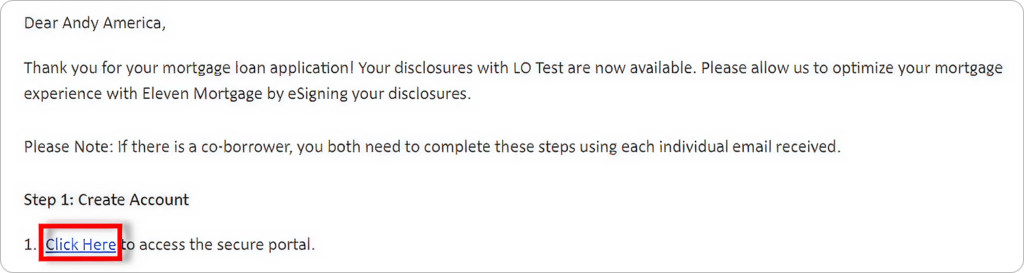
1. Check Your Email
You will receive an email with the subject line:
“Let’s eSign your disclosures!”
Each borrower receives a separate email. If there are multiple borrowers, each person must complete the process individually.
2. Create Your Login
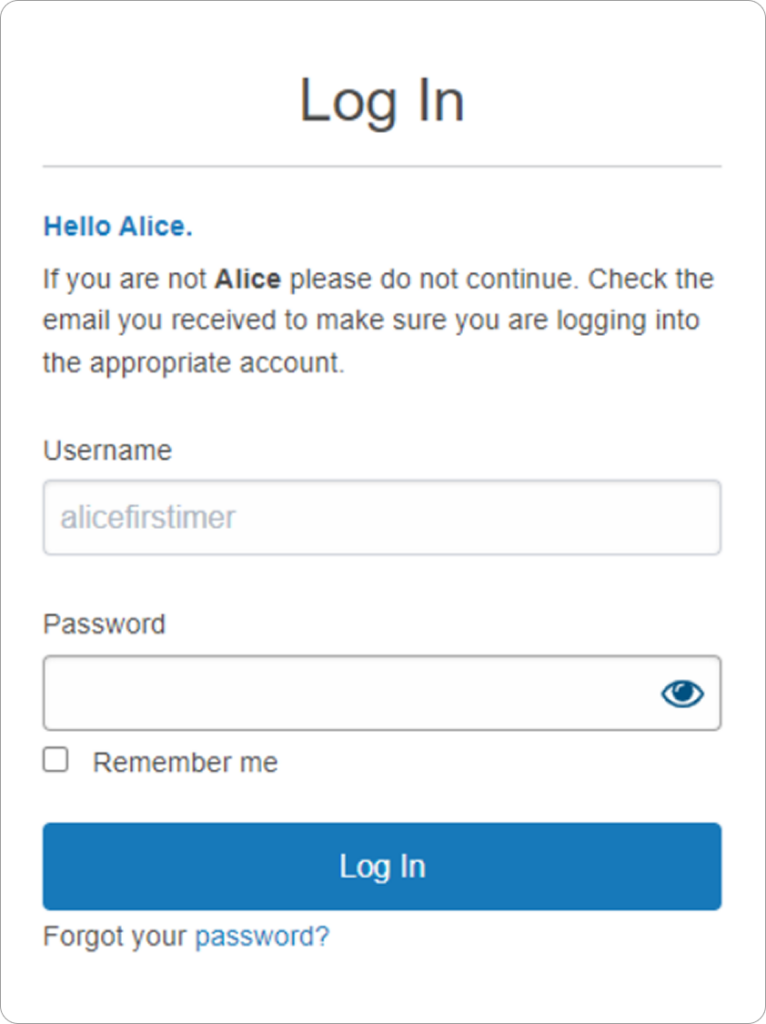
You will be directed to a secure portal.
Your username is pre-generated, and you will need to create your password.
Your password must:
- Include at least one special character
- Be 8–64 characters
- Include at least one uppercase letter
- Include at least one lowercase letter
- Include at least one number
3. Complete Identity Verification
For security purposes, you will need to verify your identity.
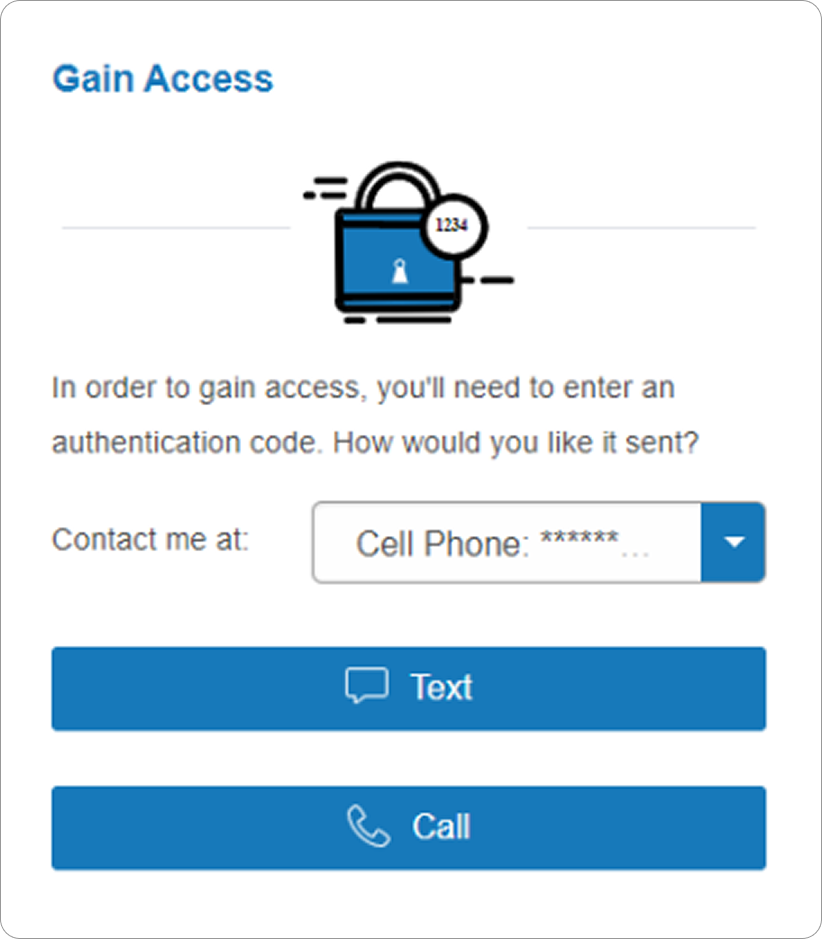
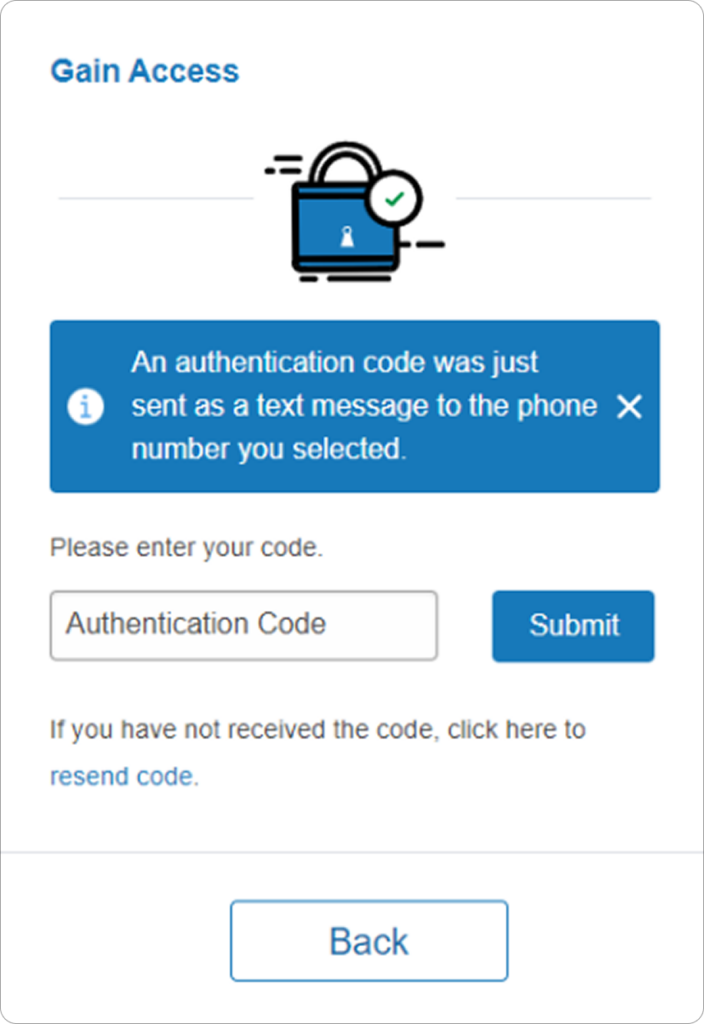
You will receive a 6-digit authentication code via:
- Text message
- Phone call
Enter the code to continue.
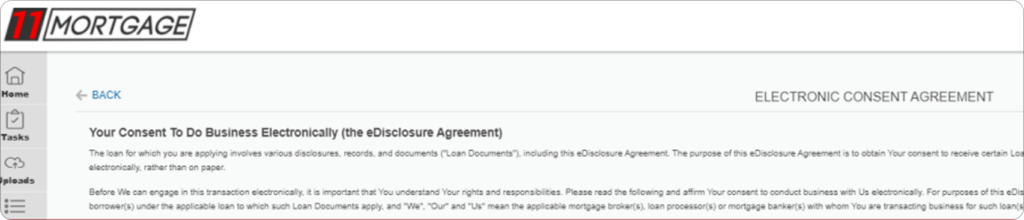
4. Review and Accept eConsent
You will be asked to review the Electronic Consent Agreement.
After reviewing, click “Agree” to proceed.
5. Open Your Documents
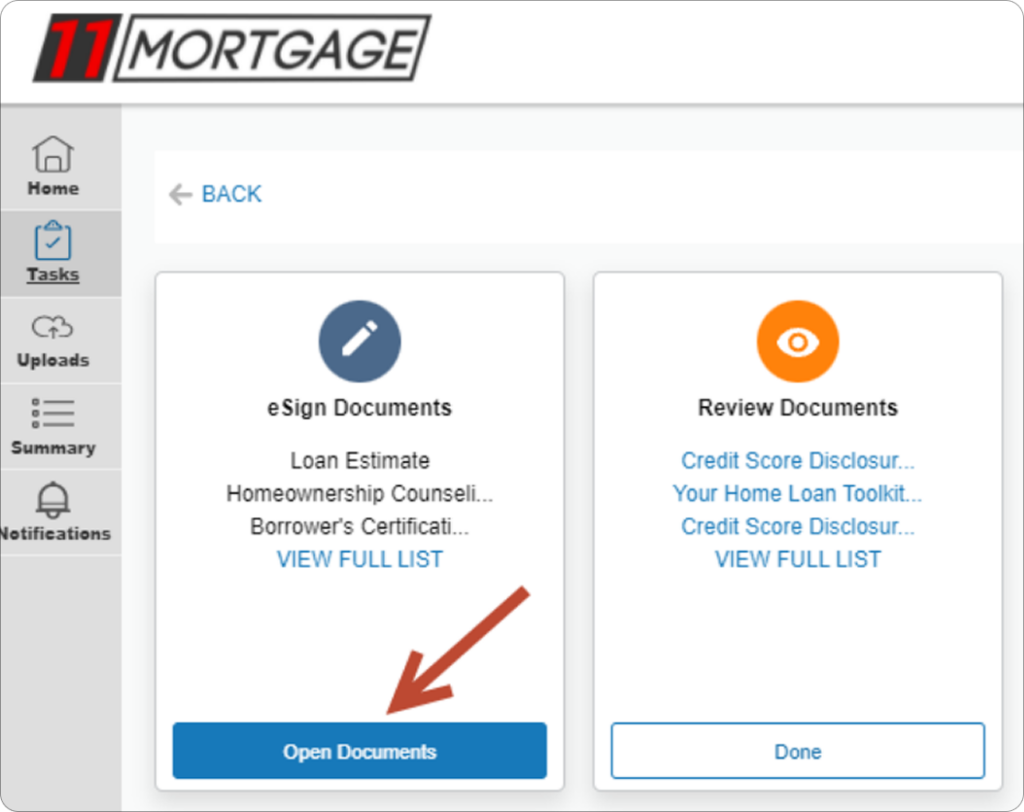
Once you accept eConsent, you will be taken to your dashboard.
Locate the Tasks section and click “Open Documents” under eSign Documents.
6. Electronically Sign Documents
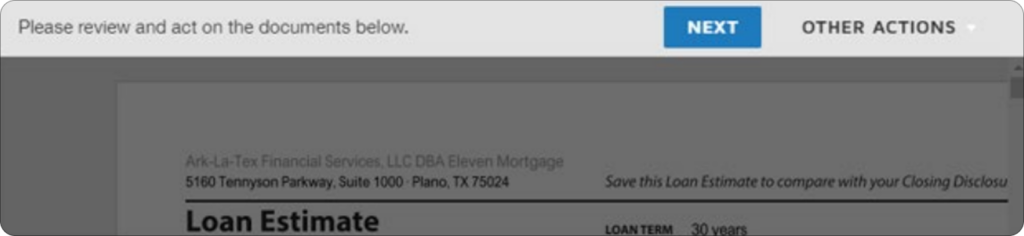
The system will guide you through the signing process.
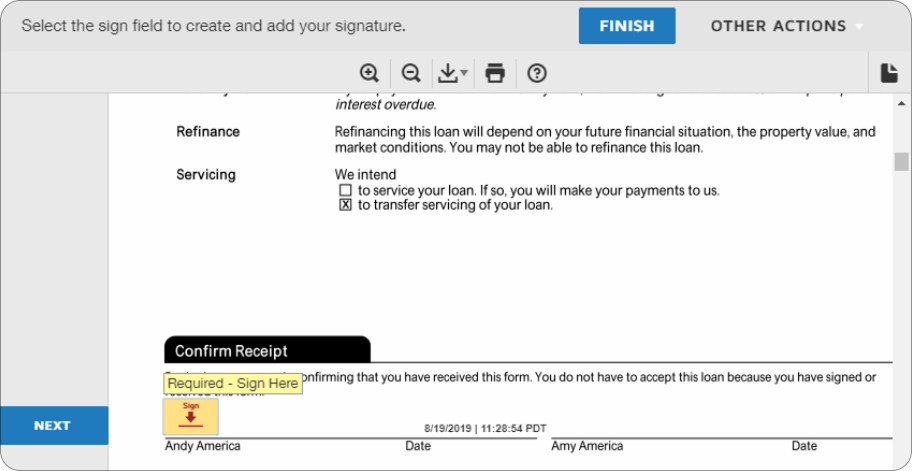
Click Next, then Start, and follow all prompts labeled “Required – Sign Here.”

Complete all required signatures, then click “Finish.”
7. Review Additional Documents
Some documents only require review, not signature.
Open the Review Documents section, review all files, and click “Done.”
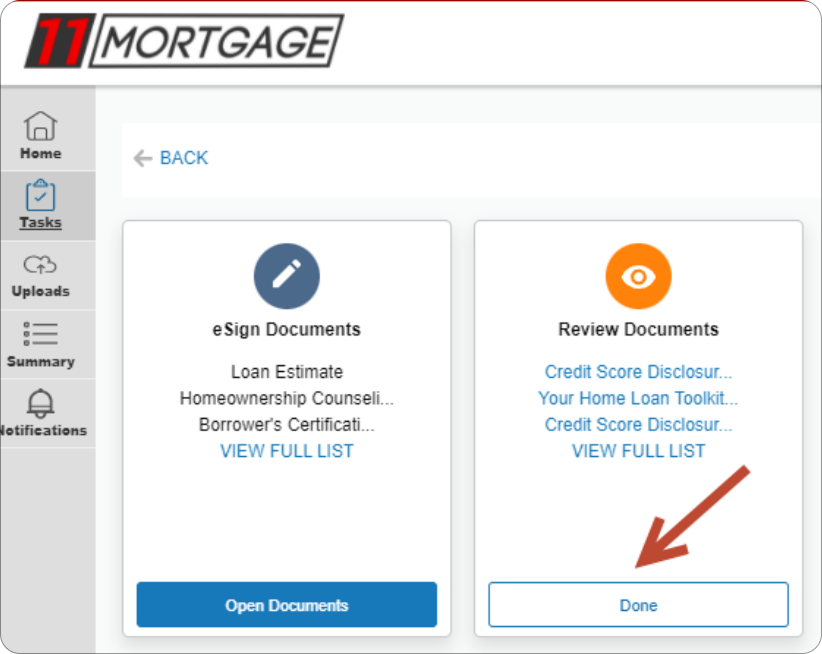
8. Confirm Completion
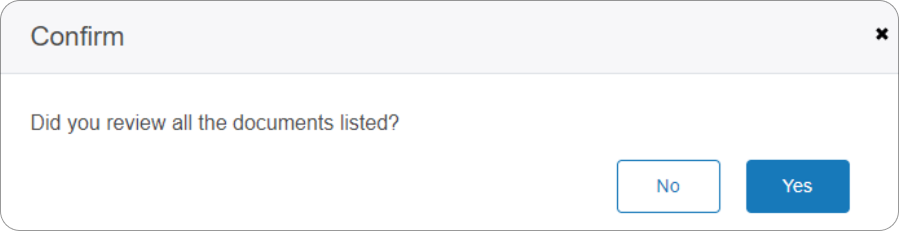
You will be asked to confirm that all documents have been reviewed.
Click “Yes” on the confirmation screen.
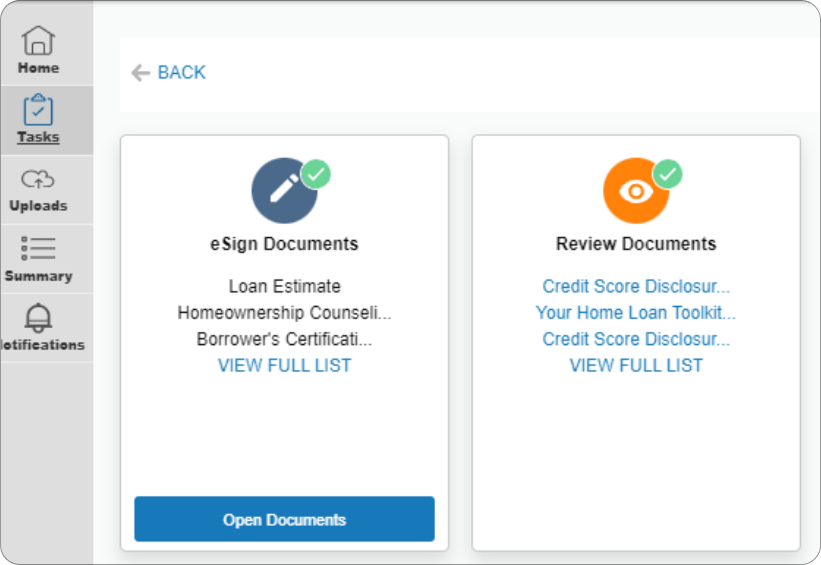
9. Verify Completion
Once finished, you will see green check marks indicating that both sections are complete:
- eSign Documents
- Review Documents
Tips for a Smooth Signing
- Use the login credentials created during setup and keep your password secure.
- Each borrower must complete their own set of documents.
- Choose the fastest verification method (text is usually quickest) when receiving your authentication code.
- Follow all “Required – Sign Here” prompts carefully — you won’t be able to finish until all required fields are completed.
- Take your time reviewing documents before signing If something looks incorrect, contact your UnrealFi loan advisor before completing the process
Final Thoughts
Signing your disclosures with 11 Mortgage is fast, secure, and designed to guide you step by step. Most borrowers complete this in just a few minutes. Once completed, your signed documents are automatically returned to your loan team so they can move forward with the next steps in your mortgage process.
If you have any questions or run into issues while signing, your UnrealFi loan advisor is here to help every step of the way.