Table of contents
Signing your initial disclosures is one of the first steps in moving your loan forward. This process is completed securely online and typically takes only a few minutes.
With UWM’s eSign system, you can review and sign everything online in just a few minutes.
Step-by-Step: How to Sign Disclosures with UWM
1. Check Your Email
You will receive an email from easedocs@easedocs.com with a secure link to access your disclosures.
Click the link to begin.
If you don’t see the email, check your spam or junk folder. If it’s still missing, your loan advisor can resend it.
2. Verify Your Identity
After clicking the link, you’ll be prompted to enter:
- The last 4 digits of your Social Security Number
- The property ZIP code
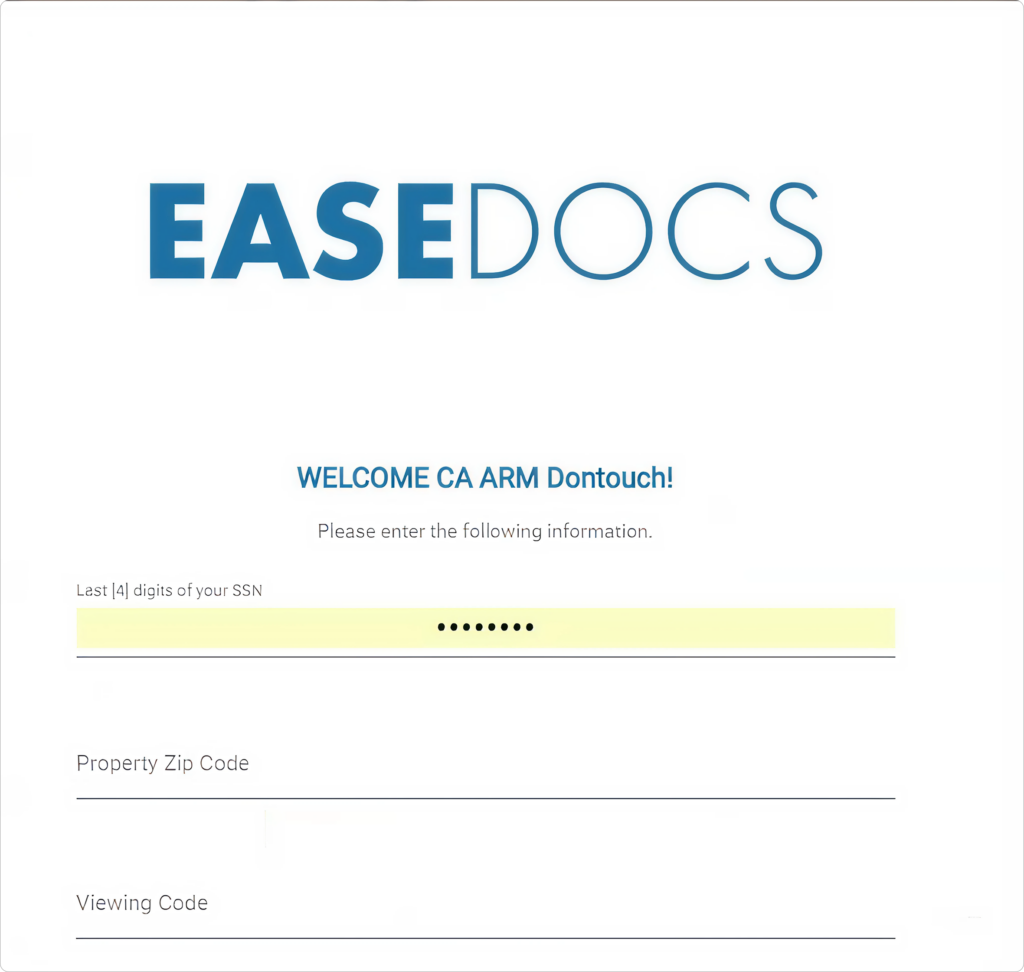
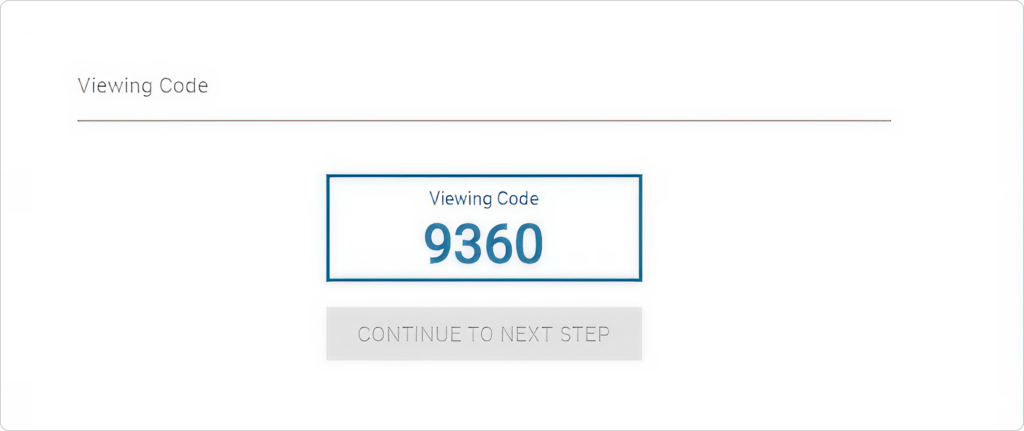
Once entered, you’ll receive a 4-digit viewing code.
Enter that code to continue.
3. Start Signing
After logging in, you’ll be taken to your document portal.
Instead of scrolling through everything manually, click “Start Signing” to jump directly to the required sections.
4. Complete Required Fields
The system will guide you through each required step.
You’ll see visual indicators:
- Purple markers = required checkboxes
- Red markers = required signatures or initials
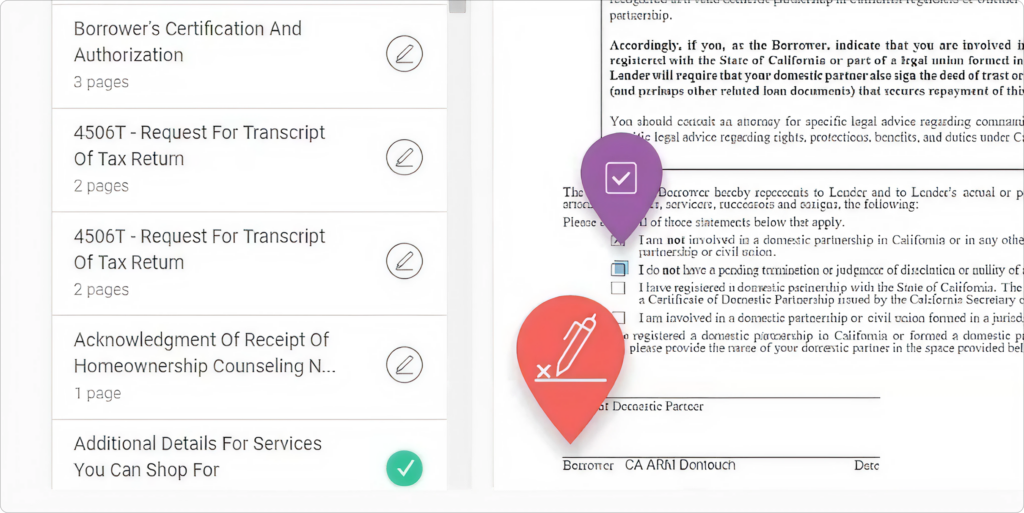
Follow the prompts and complete each required field.
Click Next to move through the documents.
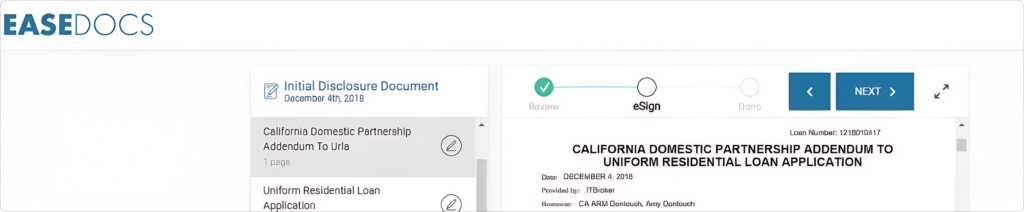
5. Finish Signing
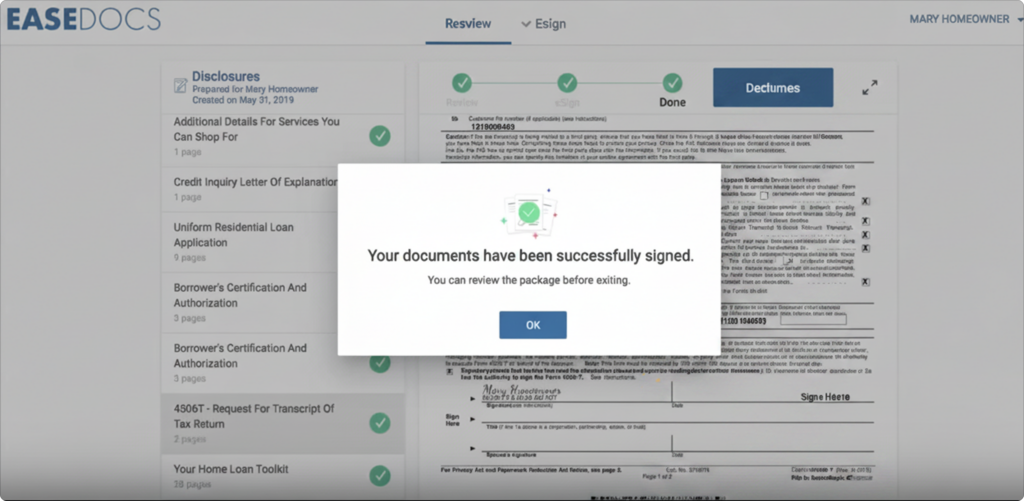
Once all required fields are completed, you’ll see a confirmation message indicating that your documents are fully signed.
Click OK, then Exit to finish.
Your signed disclosures are automatically sent to your loan team so they can move forward with your loan.
Tips for a Smooth Signing
- Enter the correct property ZIP code to avoid login issues.
- Click Start Signing to save time instead of scrolling manually.
- Follow all prompts — you won’t be able to finish until everything is completed.
- Take your time reviewing documents before signing.
- If something looks incorrect, contact your UnrealFi loan advisor before completing the process
Final Thoughts
Signing your disclosures with UWM is designed to be fast, secure, and easy. Most borrowers complete this step in just a few minutes. Once completed, your loan can move forward without delays.
If you have any questions or run into issues while signing, your UnrealFi loan advisor is here to help every step of the way.