Table of contents
Freedom Mortgage uses a secure electronic signing platform that allows borrowers to review and sign mortgage disclosures online. This process helps keep your loan moving forward quickly while giving you the ability to review documents from your computer or mobile device.
During the signing process, you’ll securely verify your identity, review your disclosure package, and electronically sign required documents. Once completed, your signed documents are automatically returned to your loan team so they can continue processing your mortgage application.
Step-by-Step: How to Sign Disclosures with Freedom Mortgage
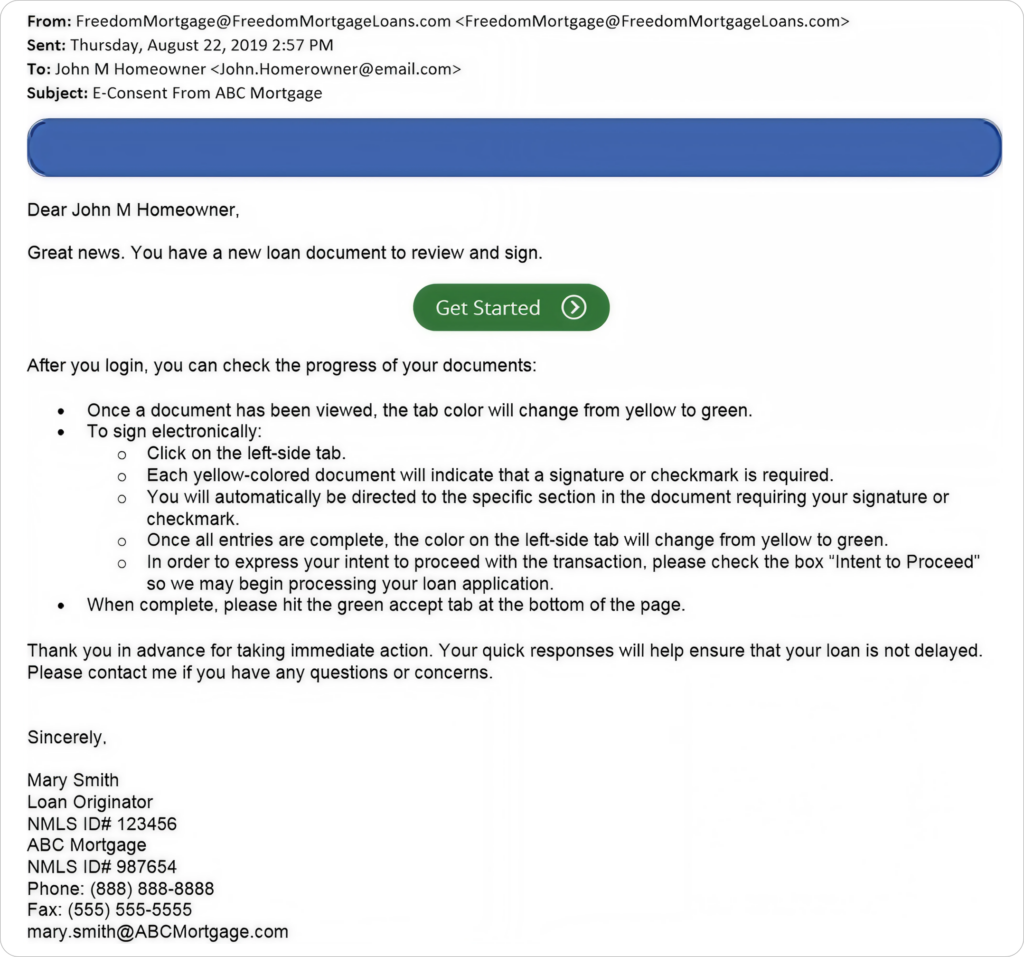
1. Open the Email Invitation
You will receive an email from Freedom Mortgage containing a secure link to access your disclosure package. The email will include your loan originator’s information along with a Get Started button that launches the signing process.
2. Sign In
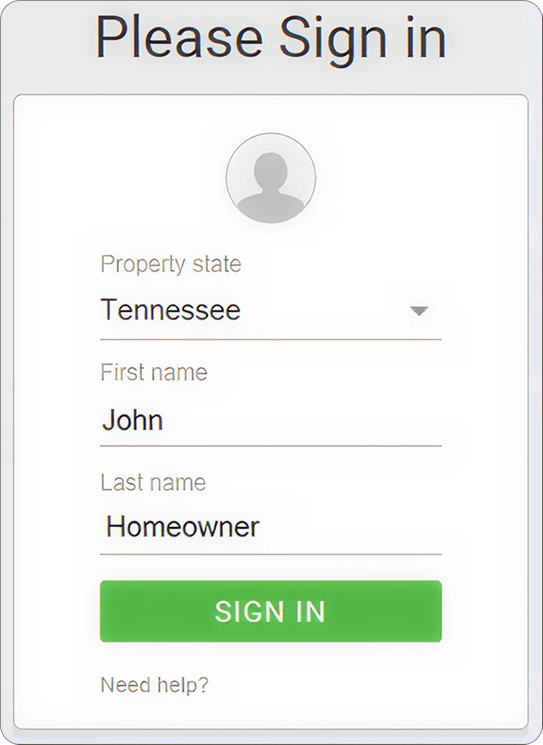
After opening the link, you’ll be asked to enter your property state, first name, and last name. Your information should match the details shown in the email invitation.
To avoid issues signing in:
- Enter your name exactly as shown in the email
- Avoid browser autofill if possible
- Use a supported browser such as Chrome, Safari, Firefox, or Edge
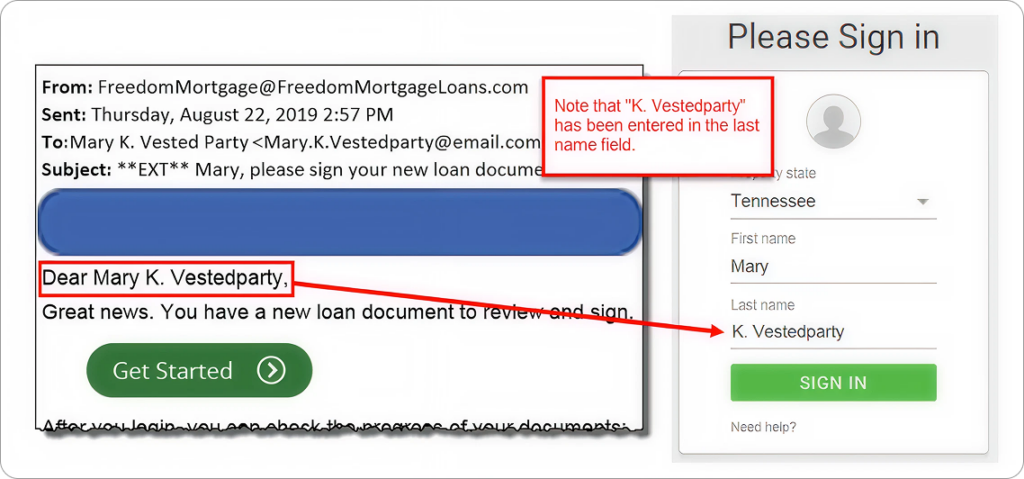
If your name in the invitation email includes a middle initial, enter the middle initial in the Last Name field exactly as shown in the invitation email, including the period if applicable, followed by a space and then your last name.
Example:
3. Verify Your Identity
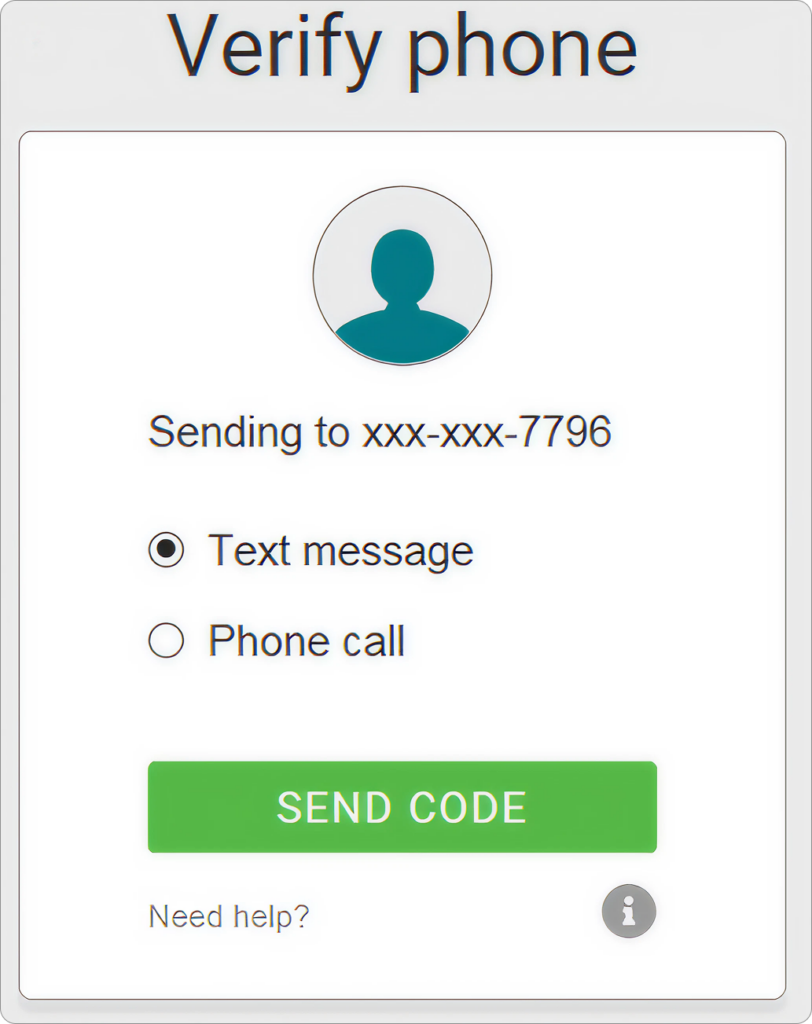
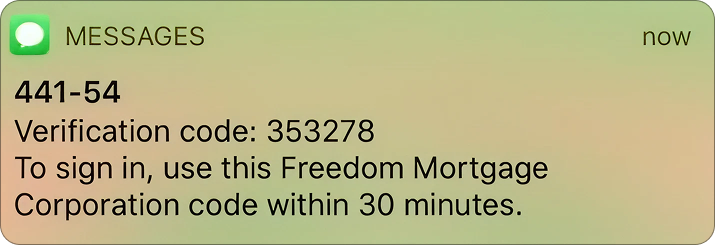
For security purposes, Freedom Mortgage will verify your phone number before allowing access to documents. You can choose to receive a verification code by text message or automated phone call.
If your phone number is outdated or incorrect, contact your UnrealFi loan advisor before continuing.
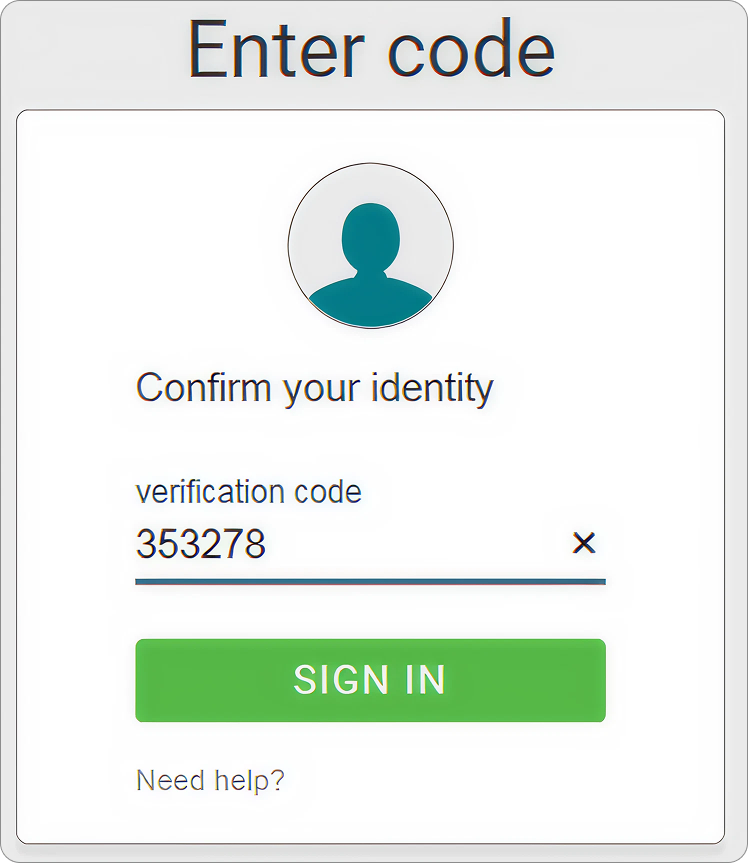
4. Enter the Verification Code
After receiving the verification code, enter it on the sign-in screen to continue. Codes are time-sensitive and generally must be entered within 30 minutes.
5. Accept Electronic Consent
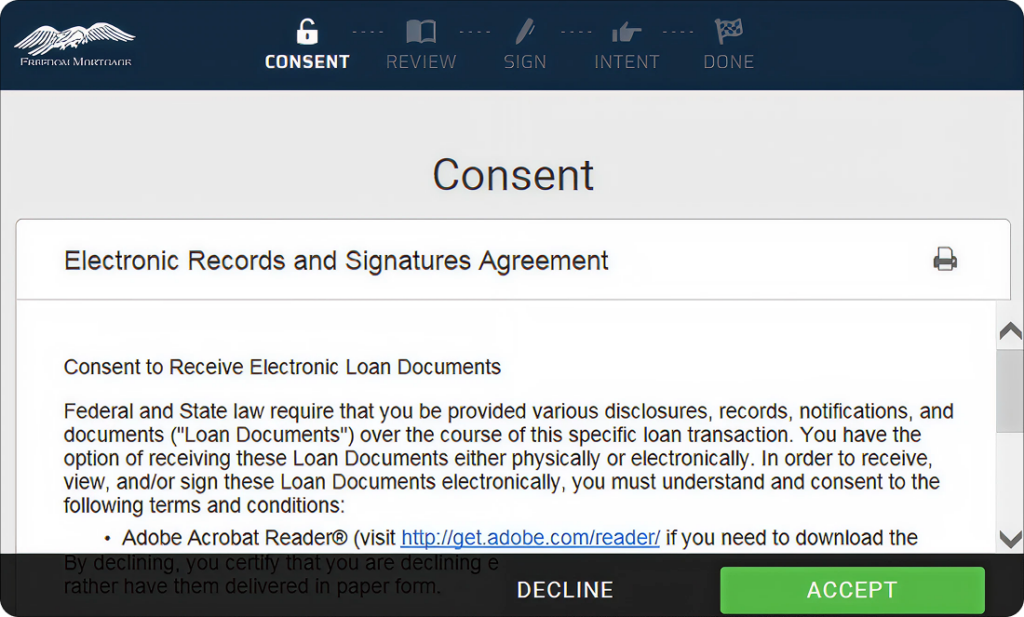
Before reviewing documents, you’ll be asked to consent to receiving disclosures electronically by accepting the Electronic Records & Signatures Agreement.
If you choose not to receive documents electronically, paper copies may instead be mailed to your address.
6. Review Your Documents
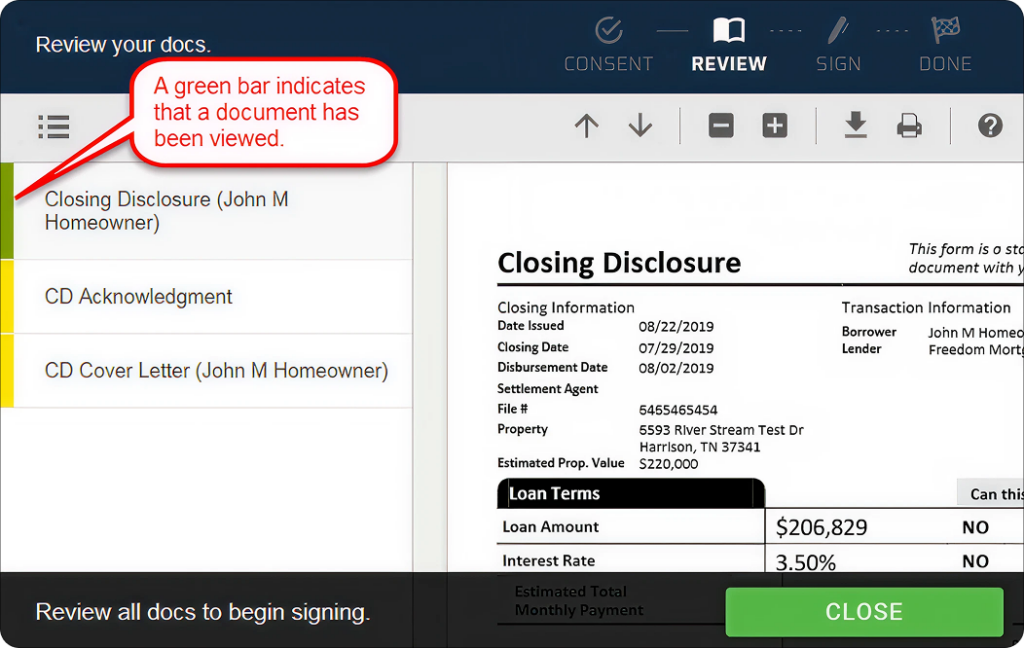
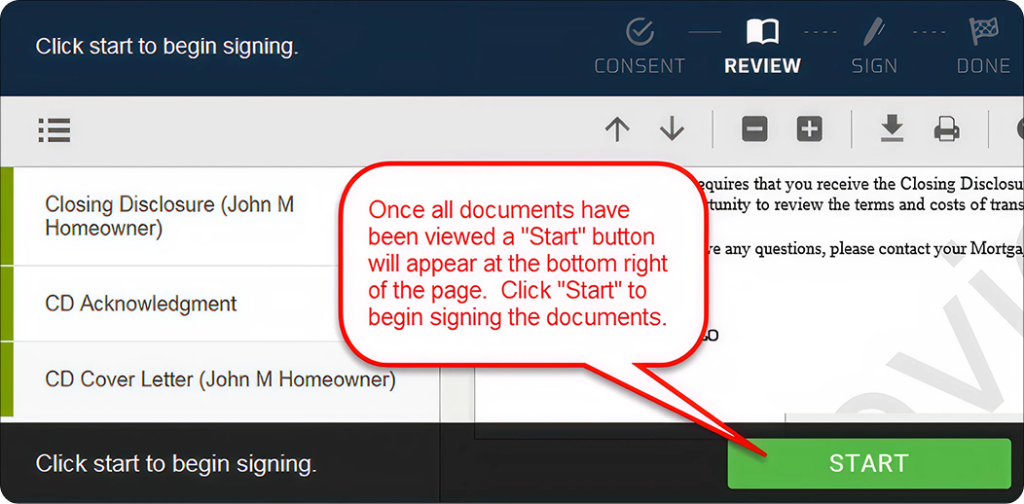
The review section displays all documents included in your disclosure package. Each document must be opened and reviewed before signing can begin.
As documents are reviewed, the indicators next to them will change color to show completion. Once all required documents have been viewed, the Start button will become available so you can begin signing.
7. Electronically Sign the Documents
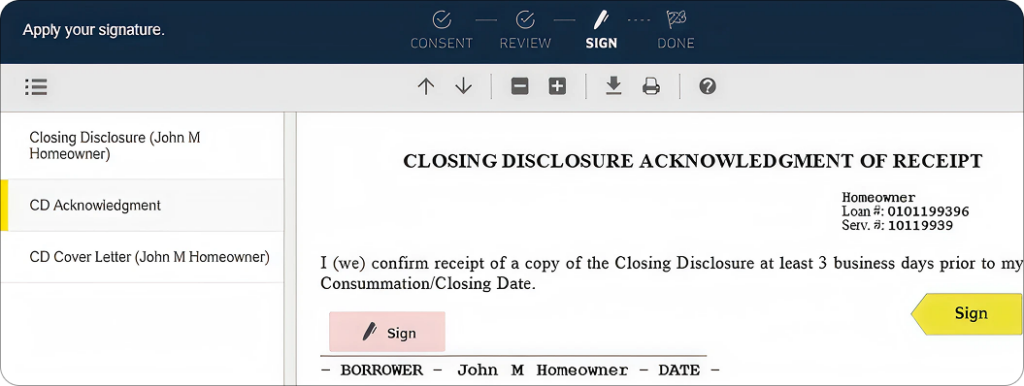
The system will guide you directly to each required signature location. Click the highlighted Sign button to apply your electronic signature and date.
If there are multiple borrowers on the loan, each borrower may need to complete their own signing session.
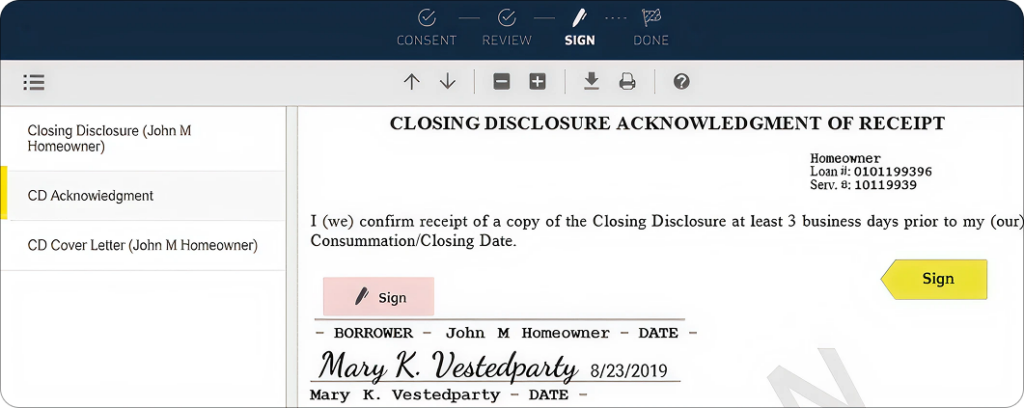
After all signatures are completed, click Submit to finalize the process and return the signed disclosures to your loan team.

8. Download or Print Your Documents
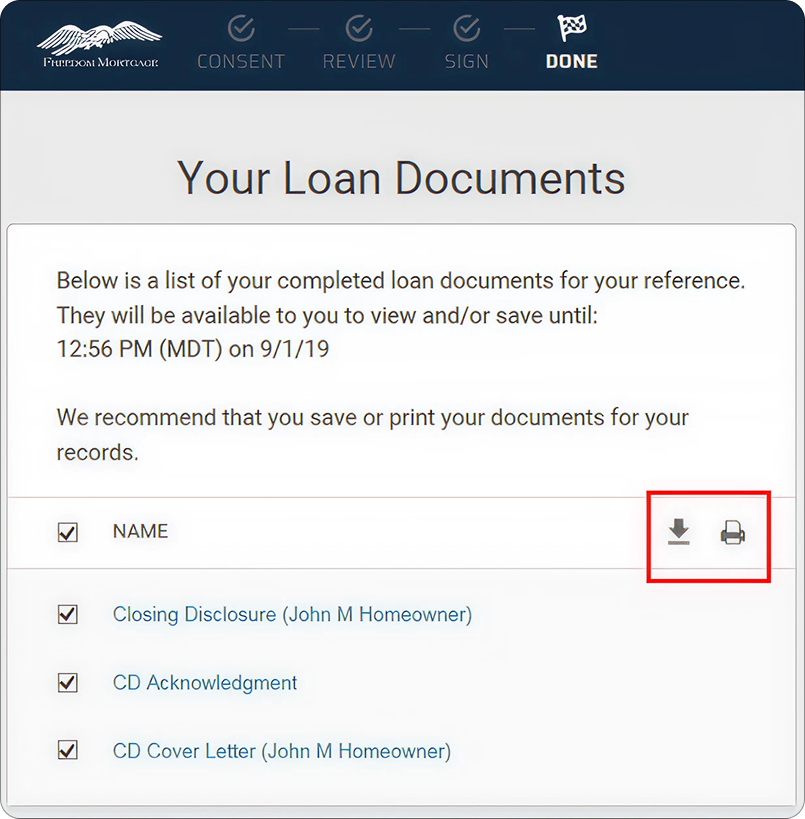
Once signing is complete, you’ll be able to download or print copies of your signed disclosures for your records. You can also re-access the documents later using the original email link for a limited period of time.
Tips for a Smooth Signing
- Use a stable internet connection.
- Carefully review documents before signing.
- Make sure your phone number is current before starting.
- Respond quickly to avoid delays in processing.
Final Thoughts
Signing your Freedom Mortgage disclosures electronically is a secure and convenient way to keep your mortgage application moving forward.
Once completed, your loan team is automatically notified so they can continue processing the next steps of your loan.
If you have any questions or run into issues during the signing process, your UnrealFi loan advisor is here to help.